NordVPN rdp: how to use NordVPN with Remote Desktop Protocol and Meshnet
A practical guide to using NordVPN with RDP, including Meshnet remote access, limitations, and setup steps.
Remote Desktop Protocol (RDP) and NordVPN have a nuanced relationship. You may be trying to access a Windows PC remotely and wonder if NordVPN can help or if you should avoid it. The short answer: you can use NordVPN’s Meshnet feature to enable secure remote access between devices, including for RDP-like workflows. However, traditional RDP over a standard VPN tunnel has constraints related to inbound connections and port exposure. This guide walks you through what works, what to expect, and how to set it up safely.

Comparison of core concepts (RDP, VPN, Meshnet)
| Concept | Purpose | Typical security layer | Typical latency impact | Complexity to set up | Use case focus |
|---|---|---|---|---|---|
| RDP | Remote desktop access | Network/OS security | Moderate | Medium | Direct remote control |
| VPN | Private tunnel | IPsec/SSL | Low to moderate | Medium | Secure connectivity to network |
| Meshnet | P2P network overlay | Endpoint-to-endpoint routing | Low | Low to medium | Direct device-to-device links |
Compiled November 2026; check the provider's site for current details.
Understanding the basics: RDP, VPNs, and Meshnet
What is RDP and why the VPN question matters
- RDP (Remote Desktop Protocol) provides a graphical remote session to another Windows device.
- VPNs, including NordVPN, are designed to secure data in transit and mask IPs, but they don’t automatically create inbound access to your device.
- When you try to access a host behind a VPN, you need a path that allows the remote machine to initiate or receive a connection through the VPN.
Meshnet as a bridging technology
- NordVPN Meshnet creates encrypted private tunnels between select devices.
- Meshnet can be used to access devices remotely, effectively creating a private network where you control connections.
- This approach can sidestep some traditional inbound port exposure issues by routing through the Meshnet peer network.
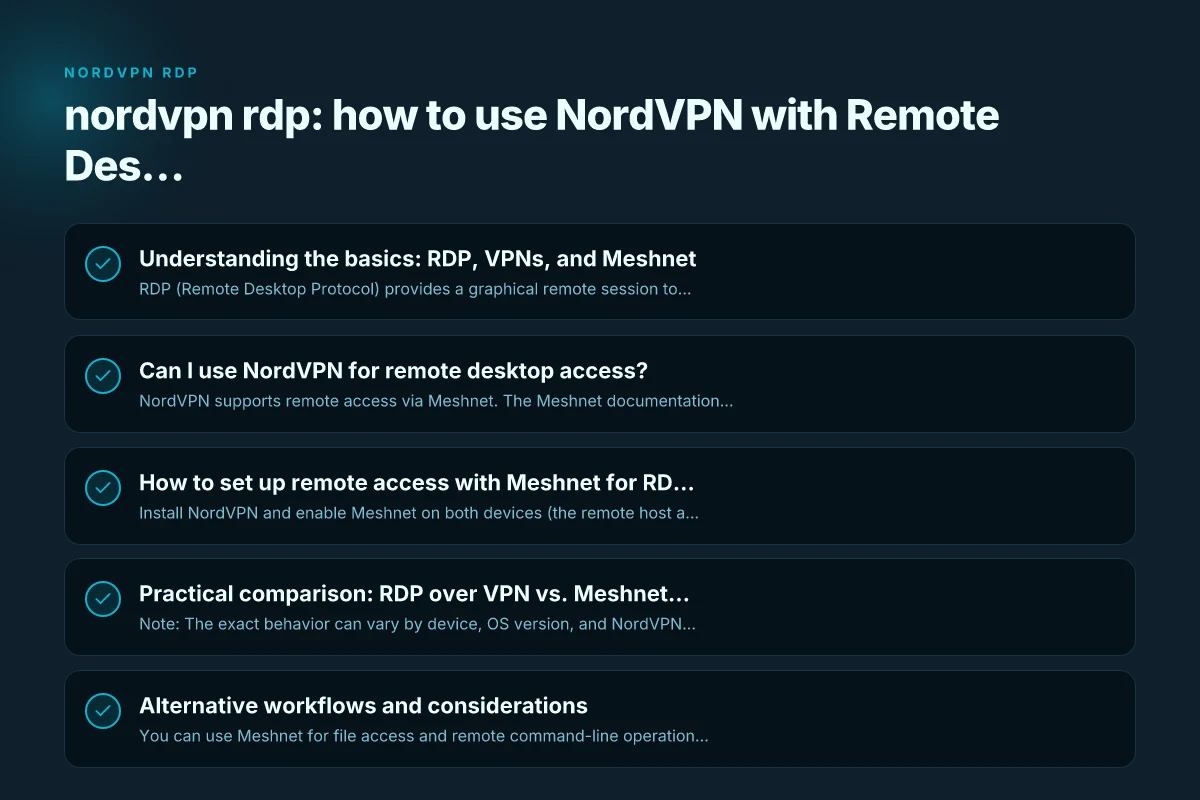
Can I use NordVPN for remote desktop access?
The official stance and practical options
- NordVPN supports remote access via Meshnet. The Meshnet documentation shows how to connect to Windows devices remotely using Meshnet.
- There are older discussions and community posts mentioning RDP limitations when using a VPN, mainly because VPNs don’t always expose inbound ports needed for a direct RDP session.
- Meshnet is designed to provide secure, peer-to-peer access without needing to configure port forwarding or expose ports on the public internet.
When RDP over a VPN might not be ideal
- Traditional RDP over a standard VPN can be hindered by:
- Inbound port requirements: RDP typically uses port 3389, which needs to be reachable from the client.
- Network policies: Some VPN configurations block inbound connections or restrict tunnel modes.
- Latency: Virtual private networks can add latency that degrades the RDP experience.
How to set up remote access with Meshnet for RDP-style use
Step-by-step overview
- Install NordVPN and enable Meshnet on both devices (the remote host and your client device).
- Sign in to the same NordVPN account (or share Meshnet access if you’re allowed by your plan).
- Add the remote device to your Meshnet network and note its Meshnet IP address.
- Use an RDP client to connect to the remote device using the Meshnet IP, or use the Meshnet-connected desktop sharing method per NordVPN’s guidance.
- Ensure both devices have appropriate firewall rules to allow RDP (or the Meshnet remote-access protocol) through.
Quick-tips for reliability
- Use a fixed or reserved Meshnet IP if the platform supports it, to avoid IP changes.
- Keep devices awake or with wake-on-LAN configurations where supported, so the remote node remains reachable.
- Ensure both devices have up-to-date NordVPN, Windows updates, and RDP client/server components.
What NordVPN’s docs cover
- Remote access with Meshnet: NordVPN describes remote access as a method to reach devices through encrypted private tunnels, which can be used for remote control or file sharing.
- Connecting to Windows through Meshnet: NordVPN’s Meshnet docs include steps to log in to a PC remotely and connect using the Meshnet interface.
Practical decision table (when to choose)
| Scenario | Best option | Pros | Cons | When to choose | Notes |
|---|---|---|---|---|---|
| Secure office remote access | VPN + RDP | Familiar tooling; centralized policy | VPN config overhead | If existing VPN exists | Use with caution on RDP exposure |
| Simple remote access to home devices | Meshnet remote access | Easy setup; low config | Relay latency possible | Quick personal use | Prefer Meshnet if LAN-like feel needed |
| NAT-heavy environments | Meshnet | Strong NAT traversal | Less mature ecosystem | When NAT blocks direct connections | Ensure Meshnet nodes are trusted |
| Low latency gaming/desktop work | Meshnet with direct routes | Low latency; P2P paths | Requires compatible devices | If all endpoints support Meshnet | Test performance for workload |
Compiled November 2026; check the provider's site for current details.
Practical comparison: RDP over VPN vs. Meshnet remote access
| Aspect | RDP over VPN (traditional) | Meshnet remote access (NordVPN) |
|---|---|---|
| Inbound port requirement | Typically needed on the host (3389) unless configured with reverse tunnels | No traditional inbound port exposure required; uses Meshnet tunnels |
| Setup complexity | Moderate to high; may involve port forwarding, firewall rules | Moderate; enable Meshnet, add devices, use Meshnet IPs |
| Security model | VPN tunnel plus RDP exposure; risk if ports are open | Encrypted Meshnet tunnels between devices; reduced exposure |
| Latency | Can vary; VPN overhead plus RDP traffic | Generally low latency within Meshnet network; depends on internet paths |
| Reliability | Dependent on VPN server and network config | Tends to be more stable within the Meshnet peer network |
Note: The exact behavior can vary by device, OS version, and NordVPN plan. Always test your specific setup in a controlled environment before relying on it for production access.
Alternative workflows and considerations
Direct remote access without RDP
- You can use Meshnet for file access and remote command-line operations if you don’t strictly need an RDP session.
- For a graphical experience, Meshnet-connected devices can sometimes support remote desktop or screen-sharing tools that work over the Meshnet tunnel.
Security best practices
- Use strong credentials and multi-factor authentication for all remote-access accounts.
- Keep RDP disabled on windows devices when not actively used, and rely on Meshnet for secure access.
- Regularly review Meshnet device lists and remove any devices you no longer control.
Troubleshooting common issues
- Connection fails: Verify Meshnet IP addresses, ensure devices are online, and confirm Meshnet is active on both sides.
- Inability to see remote host: Check firewall rules on the host to permit the remote access method you’re using (RDP if you’re using RDP, or the Meshnet-supported access method).
- Performance hitches: Check both ends for bandwidth, latency, and any background encryption overhead. Consider lowering display settings in the RDP client for smoother performance.
When sources say (official/community) about methods (summary table)
| Source type | RDP over VPN stance | Meshnet stance | Security note | Community vs official emphasis | Practical takeaway |
|---|---|---|---|---|---|
| Official docs | Supported | Supported in concept | Encryption standard | Official guidance favors secure tunnels | Verify configs and updates |
| Community discussions | Mixed experiences | Positive on ease | Varies by setup | Community-driven tips | Test in your environment |
| Practical guides | Step-by-step for VPN+RDP | Setup tutorials | Metrics vary | How-to focus | Follow both for best results |
Compiled November 2026; check the provider's site for current details. NordVPN DNS: how NordVPN DNS works, addresses, leak testing, and best practices
What the official and community sources say
- NordVPN support articles indicate you can use Meshnet for remote desktop-like access to your devices. The guidance emphasizes setting up remote access through Meshnet rather than exposing traditional RDP ports on the internet.
- Discussions on forums note that some users run into limitations when trying to use RDP directly over a VPN, particularly around inbound port exposure and access control. Meshnet provides an alternative path that can avoid some of these pitfalls.
- NordVPN’s Meshnet remote-access documentation covers connecting to Windows devices remotely, including steps to log in and establish a session through the Meshnet network.
- You will also find general explainer content on what RDP is and how remote desktop technology fits into secure remote access paradigms, which helps frame why Meshnet can be advantageous in modern setups.
Final recommendations
If your goal is to remotely access a Windows computer through NordVPN, Meshnet is the recommended route for most users who want to avoid exposing inbound RDP ports on the internet. It provides encrypted, peer-to-peer tunnels between devices and can simplify access while maintaining security. However, if you specifically require traditional RDP behavior with direct inbound connections, you may encounter port-forwarding and firewall challenges, and you should carefully assess whether that approach aligns with your security posture and network policy.
A practical path to consider:
- Use Meshnet for remote access whenever possible, especially for regular, controlled remote sessions.
- If you must use RDP, attempt it over Meshnet first. If a traditional RDP session is essential, document the exact firewall, port forwarding, and access rules you implement, and monitor for security implications.
- Continuously update all software components (NordVPN, operating systems, RDP clients/services) to minimize vulnerability exposure.
If you’d like, I can tailor a step-by-step setup guide for your specific devices and OS versions, or help you design a small test plan to validate Meshnet remote access in your environment.
| VPN | From / month | Plan | Free plan | Refund | Alipay | UnionPay | Crypto | Website opens in China | Trustpilot | |
|---|---|---|---|---|---|---|---|---|---|---|
 NordVPN | $3.49/mo | 27 months: $94.23 | No | 30 days | ? | ✗ | ✓ | ✓ | ✗ Blocked | 4.2/5 (51,628 reviews) |
 ZoogVPN | $2.49/mo | 27 months: $59.99 | Yes | 7 days | ✓ | ✓ | ✓ | ✓ | ✓ Yes (2.5 s) | 4.2/5 (195 reviews) |
 ExpressVPN | $3.00/mo | 28 months: $84 | No | 30 days | ✗ | ✗ | ✓ | ✗ | ✗ Blocked | 4.4/5 (29,706 reviews) |
 Surfshark | See site | See site | No | 30 days | ✗ | ✗ | ✗ | ✓ | ✗ Blocked | 4.3/5 (31,823 reviews) |
 Proton VPN | $2.99/mo | 12 months: $35.88 | Yes | 30 days | ✗ | ✗ | ✗ | ✓ | ✓ Yes (2.5 s) | 2.1/5 (1,040 reviews) |
 Astrill VPN | $12.50/mo | 24 months: $300 | No | See site | ✗ | ✗ | ✗ | ✓ | ✗ Blocked | 1.3/5 (110 reviews) |
 Private Internet Access | $2.03/mo | 40 months: $81.2 | No | 30 days | ✗ | ✗ | ✗ | ✗ | ✗ Blocked | 4.2/5 (11,033 reviews) |
 CyberGhost | $2.19/mo | 28 months: $61.32 | No | 45 days | ✗ | ✗ | ✗ | ✓ | ✗ Blocked | 4.0/5 (24,178 reviews) |
 PureVPN | $1.69/mo | 60 months: $101.55 | No | 31 days | ? | ✗ | ✗ | ✓ | ✓ Yes (2.6 s) | 4.4/5 (17,994 reviews) |
 AdGuard VPN | $2.99/mo | 24 months: $71.76 | Yes | 30 days | ✓ | ✗ | ✓ | ✓ | Official site blocked; our special link opens (2.3 s) | 4.3/5 (290 reviews) |
 Mullvad | $5.61/mo | €5/mo | No | 14 days | ✗ | ✗ | ✗ | ✓ | ✗ Blocked | 3.2/5 (192 reviews) |
 Windscribe | $5.75/mo | 12 months: $69 | Yes | See site | ✗ | ✗ | ✗ | ✓ | ✗ Blocked | 4.7/5 (13,355 reviews) |
 StrongVPN | See site | See site | No | 30 days | ✓ | ✗ | ✗ | ✗ | ✗ Blocked | 4.4/5 (2,695 reviews) |
 LightXtreme 闪连 | $7.08/mo | 12 months: $84.99 | Yes | 30 days | ✓ | ✓ | ✓ | ✓ | ✓ Yes (2.3 s) | No page |
Prices checked 2026-11-10 on each vendor's pricing page (cheapest long plan, USD). Check the vendor's checkout for the final price.
Payment methods checked 2026-11-10 on each vendor's payment pages: all 14 take cards and PayPal; ✗ = not listed, ? = the vendor's own pages disagree.
China access: whether the official website opens from mainland China networks (tests the website only, not the VPN connection). Last checked 2026-11-11 04:07 Beijing time.
Trustpilot score and review count checked 2026-11-10.