Mastering your ovpn config files the complete guide

Mastering your ovpn config files the complete guide: Mastering your OVPN config files the complete guide for VPNs, Tips, and Best Practices
Mastering your ovpn config files the complete guide: Quick fact—OpenVPN config files are the blueprint for how your VPN client connects, authenticates, and tunnels traffic. In this guide, you’ll learn how to craft, troubleshoot, and optimize OVPN files for maximum privacy, speed, and reliability. Below is a practical, SEO-friendly breakdown designed for beginners and power users alike.



| VPN | Obfuscation | From / month | Plan | Free plan | Refund | Alipay | UnionPay | Crypto | Website opens in China | Trustpilot | |
|---|---|---|---|---|---|---|---|---|---|---|---|
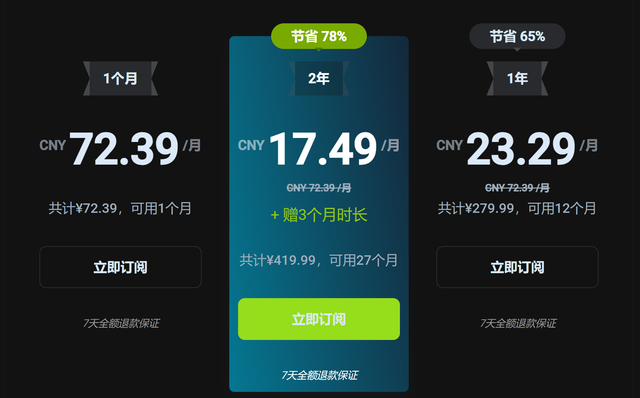
 ZoogVPN | Turn on manually Shadow | $2.49/mo | 27 months: $59.99 | Yes | 7 days | ✓ | ✓ | ✓ | ✓ | Official site blocked; our special link opens (4.4 s) | 4.2/5 (195 reviews) |
 NordVPN | Turn on manually Obfuscated Servers / NordWhisper | $3.49/mo | 27 months: $94.23 | No | 30 days | ? | ✗ | ✓ | ✓ | ✗ Blocked | 4.2/5 (51,628 reviews) |
 ExpressVPN | ✓ On by default all servers | $3.00/mo | 28 months: $84 | No | 30 days | ✗ | ✗ | ✓ | ✗ | ✗ Blocked | 4.4/5 (29,706 reviews) |
 Surfshark | ✓ On by default Camouflage, with OpenVPN | See site | See site | No | 30 days | ✗ | ✗ | ✗ | ✓ | ✗ Blocked | 4.3/5 (31,823 reviews) |
 Proton VPN | Turn on manually Stealth, free plan too | $2.99/mo | 12 months: $35.88 | Yes | 30 days | ✗ | ✗ | ✗ | ✓ | ✗ Blocked | 2.1/5 (1,040 reviews) |
 Astrill VPN | Turn on manually StealthVPN / OpenWeb | $12.50/mo | 24 months: $300 | No | See site | ✗ | ✗ | ✗ | ✓ | ✗ Blocked | 1.3/5 (110 reviews) |
 Private Internet Access | Turn on manually Shadowsocks, OpenVPN only | $2.03/mo | 40 months: $81.2 | No | 30 days | ✗ | ✗ | ✗ | ✗ | ✗ Blocked | 4.2/5 (11,033 reviews) |
 CyberGhost | Turn on manually selected servers | $2.19/mo | 28 months: $61.32 | No | 45 days | ✗ | ✗ | ✗ | ✓ | ✗ Blocked | 4.0/5 (24,178 reviews) |
 PureVPN | Turn on manually switch to OpenVPN | $1.69/mo | 60 months: $101.55 | No | 31 days | ? | ? | ✗ | ✓ | ✗ Blocked | 4.4/5 (17,994 reviews) |
 AdGuard VPN | ✓ On by default TrustTunnel | $2.99/mo | 24 months: $71.76 | Yes | 30 days | ✓ | ✗ | ✓ | ✓ | Official site blocked; our special link opens (3.7 s) | 4.3/5 (290 reviews) |
 Mullvad | Turn on manually QUIC / Shadowsocks / LWO | $5.61/mo | €5/mo | No | 14 days | ✗ | ✗ | ✗ | ✓ | ✗ Blocked | 3.2/5 (192 reviews) |
 Windscribe | Turn on manually Stealth / WStunnel | $5.75/mo | 12 months: $69 | Yes | See site | ✗ | ✗ | ✗ | ✓ | ✗ Blocked | 4.7/5 (13,355 reviews) |
 StrongVPN | Turn on manually Scramble, OpenVPN TCP | See site | See site | No | 30 days | ✓ | ✗ | ✗ | ✗ | ✗ Blocked | 4.4/5 (2,695 reviews) |
 LightXtreme 闪连 | Not listed | $7.08/mo | 12 months: $84.99 | Yes | 30 days | ✓ | ✓ | ✓ | ✓ | ✓ Yes (3.5 s) | No page |
Prices checked 2026-11-10 on each vendor's pricing page (cheapest long plan, USD). Check the vendor's checkout for the final price.
Obfuscation checked 2026-11-14 on each vendor's site and help center: "on by default" = nothing to set; "turn on manually" = switch protocol or mode in settings; "not listed" = the vendor describes no obfuscation.
Payment methods checked 2026-11-10 on each vendor's payment pages: all 14 take cards and PayPal; ✗ = not listed, ? = the vendor's own pages disagree.
China access: whether the official website opens from mainland China networks (tests the website only, not the VPN connection). Last checked 2026-11-18 01:02 Beijing time.
Trustpilot score and review count checked 2026-11-10.
- Quick-start overview
- Step-by-step config creation
- Authentication and encryption essentials
- Tuning for speed and reliability
- Advanced routing and split tunneling
- Security best practices
- Common issues and troubleshooting
- Tools and resources
- FAQ
Useful URLs and Resources text only, not clickable links OpenVPN community - openvpn.net, Wireshark basics - wireshark.org, Reddit VPN discussions - reddit.com/r/VPN, Stack Exchange Network - unix.stackexchange.com, Linux iptables basics - linux.die.net
Mastering your ovpn config files the complete guide: A quick fact—your OpenVPN config file .ovpn is the single source of truth for how your device connects to the VPN server. This post walks you through building, validating, and optimizing those files so you stay secure without sacrificing speed. Here’s a practical, easy-to-skim roadmap:
- Quick start: Create a basic config in minutes
- Step-by-step guide: From certificate setup to client directives
- Pro tips: Enable compression cautiously, tune keepalives, and avoid leaks
- Real-world checks: DNS leaks, IPv6 checks, and kill-switch tests
- Troubleshooting: Common errors and fixes with practical commands
Key sections you’ll find here:
- A hands-on recipe to generate a working .ovpn file
- How to embed certs and keys cleanly
- How to handle CA certificates, TLS-auth, and TLS-crypt
- How to implement split tunneling safely
- How to monitor your connection for DNS and IP leaks
- How to automate config validation with quick tests
1. Understanding the OpenVPN config structure
- Every .ovpn file is a mix of client directives, cryptography material, and network rules.
- Core directives you’ll routinely adjust: client, dev, proto, remote, resolv-retry, nobind, persist-key, persist-tun, cipher, auth, key-direction for TLS-auth, tls-auth or tls-crypt, ca, cert, key, tls-version-min.
- Real-world tip: Keep comments in your config to remind you why a line exists for future-you. For example: # Enable TLS-Auth to drop unauthorized handshakes.
Typical components
- Connection basics: client, dev tun, proto udp/tcp, remote your-vpn-server 1194
- Security: cipher AES-256-CBC, auth SHA256, tls-version-min 1.2
- Certificates: ca ca.crt, cert client.crt, key client.key
- Optional: tls-auth ta.key or tls-crypt cryptkey
- Network handling: keepalive 15 60, compress lz4 use with caution
2. Generating and embedding certificates and keys
- Use your CA certificate authority to issue a client certificate, or use TLS-Auth/TLS-Crypt for extra protection.
- Embedding vs. referencing: You can inline certificates/keys with
… ,… ,… , or reference external files. - Inlining pros: easier to transport; cons: larger file, potential exposure if shared insecurely.
- Inlining example conceptual:
-----BEGIN CERTIFICATE----- ... -----END CERTIFICATE----- - Security note: Never store client config with cleartext keys on shared machines.
3. TLS-auth vs TLS-crypt: what you should use
- TLS-auth ta.key adds HMAC signature to prevent certain attacks but requires both client and server to have ta.key.
- TLS-crypt wraps the TLS control channel instead of a separate ta.key, simplifying distribution and improving leakage protection.
- Practical choice: Prefer tls-crypt if your server supports it; tls-auth is a solid fallback if tls-crypt isn’t configured.
4. Scripted vs manual config creation
- Manual: Great for understanding every knob.
- Scripted: Use a VPN management tool or a script that fills in server, port, protocol, and certificate paths.
- Pro-tip: Keep a template with all safe defaults and only swap out the server address and cert blocks per provider.
5. Split tunneling and route rules
- What it is: Decide which apps go through the VPN vs the regular internet.
- Basic method: Use route-nopull followed by specific route commands for apps or subnets.
- Example scenario: Route only 10.0.0.0/8 through VPN to access internal services while leaving web traffic unencrypted.
- Security note: Misconfigured split tunneling can leak DNS or IPs; always test.
6. DNS leakage protection
- Why it matters: If DNS requests bypass the VPN, your browsing history leaks to your ISP or DNS provider.
- Quick checks: Visit dnsleaktest.com or similar; ensure DNS queries go through the VPN and show the VPN’s DNS server.
- Mitigation: Use the OpenVPN option --nobind, push "dhcp-option DNS 10.8.0.1" on the server, and ensure your client uses the VPN-provided DNS.
7. Kill switch and traffic security
- A kill switch prevents leaks if the VPN drops unexpectedly.
- Implemented by: Redirecting all traffic through the VPN using policy-based routes or firewall rules.
- Practical check: Disconnect VPN and confirm no traffic leaks via external IP checks.
8. Keeping OpenVPN and configurations up to date
- Always use a recent OpenVPN client at least 2.5.x, modern majors.
- Update cipher suites and TLS settings in line with current best practices.
- Regularly refresh certificates and revoke compromised credentials.
9. Common issues and troubleshooting
- Connection refused or timeout: Check server status, port, protocol, and firewall rules.
- TLS handshake failed: Verify ta.key or tls-crypt, certificate validity, and date/time on client/server.
- DNS leaks: Re-check DNS settings on client and ensure DNS servers come from VPN.
- Split tunneling not behaving as expected: Review route-nopull and per-app routes.
- Slow speeds: Try UDP instead of TCP, test different servers, and verify MTU settings often 1400 or lower helps.
Quick troubleshooting checklist
- Validate server reachability ping or traceroute
- Confirm correct CA, cert, and key blocks in the .ovpn
- Check firewall rules on server and client
- Ensure correct TLS-auth or TLS-crypt keys are present and aligned
- Run a DNS leak test after establishing the VPN
10. Performance tuning and best practices
- MTU considerations: If you see fragmentation, reduce MTU by a few bytes.
- Protocol choice: UDP usually faster; try TCP if UDP is blocked.
- Compression: Avoid if you’re on modern VPNs; it can increase risk of certain attacks and may not improve performance.
Practical performance tips
- Turn on nanosleep intervals in keepalive to maintain stable tunnels
- Prefer servers geographically closer to reduce latency
- Use modern ciphers like AES-256-GCM if supported, while ensuring client compatibility
11. Advanced routing and multi-hop ideas
- Multi-hop OpenVPN: Route through an intermediate VPN before the final destination for extra privacy.
- Dual-homed setups: Use two VPN streams for redundancy in critical environments.
- Practical note: Multi-hop adds latency and complexity; only use if you need it.
12. Security-first config templates
- Create a baseline template with safe defaults:
- client
- dev tun
- proto udp
- remote your-vpn-server 1194
- keepalive 15 60
- tls-version-min 1.2
- cipher AES-256-CBC
- auth SHA256
- persist-key
- persist-tun
- verb 3
- Then customize per provider and per device.
13. Tools to validate and inspect your OVPN files
- OpenVPN CLI: openvpn --config myconfig.ovpn --verb 3
- VPN testing sites: ipinfo.io for IP checks, dnsleaktest.com for DNS checks
- Network diagnostic tools: ping, traceroute/tracert, mtr
- Packet capture: Wireshark for traffic analysis and TLS handshakes
14. Real-world examples and templates
- Example 1: Basic Windows client .ovpn
- Include client, dev tun, proto udp, remote server:1194
- Inline certs:
… ,… ,… - TLS-crypt for extra protection:
… - Keepalive and DNS: keepalive 15 60, dhcp-option DNS 10.8.0.1
- Example 2: Linux client with split tunneling
- Add route-nopull
- Push specific routes for internal subnets only
- Use iptables to restrict traffic to VPN interface when DNS leaks are a concern
15. Compliance and privacy considerations
- Follow local laws and your organization’s policy when using VPNs.
- Avoid logging sensitive data on client devices.
- Regularly audit your OpenVPN configuration for exposures.
16. Quick-start checklist two-minute read
- Install OpenVPN client
- Obtain server address, port, protocol
- Prepare ca.crt, client certificate, and key
- Create .ovpn with essential directives
- Test connectivity and fix leaks
- Enable a kill switch and monitor traffic
17. Summary of best practices
- Always use tls-crypt instead of tls-auth when possible
- Inline certs only if you understand the security implications
- Use a strong cipher and modern TLS settings
- Validate DNS requests are VPN-protected
- Keep the config clean and well-documented
- Regularly test the VPN for leaks and performance
18. Tools and resources you’ll likely use
- OpenVPN official documentation - openvpn.net
- TLS/SSL reference guides - ssl.com
- Network troubleshooting guides - tldr.tech
- Community discussions - reddit.com/r/VPN
- Security best practices for VPNs - en.wikipedia.org/wiki/Virtual_private_network
19. Maintenance plan for your VPN configs
- Schedule quarterly reviews of all client configurations
- Rotate TLS keys and certificates when prompted by your provider
- Archive old configs securely and keep only the necessary active ones
- Document any deviations from standard templates for future audits
Frequently Asked Questions
What is an OVPN file?
An OVPN file is a configuration file used by OpenVPN clients to establish a secure VPN connection. It contains directives, certificates, and keys that tell the client how to connect to the VPN server.
How do I create a working .ovpn file from scratch?
Start with a template, fill in server address, port, and protocol, embed or reference your CA/cert/key, and include TLS options. Test connectivity, then tighten security settings.
Should I inline the certificates in the .ovpn file?
Inlining makes transportable configs easier to share, but you must protect the file securely. If you’re distributing to multiple devices, consider referencing external cert/key files instead.
What is TLS-auth vs TLS-crypt?
TLS-auth adds an extra HMAC signature to the TLS handshake to defend against certain attacks; TLS-crypt wraps the TLS control channel itself for better protection and simpler distribution.
How can I prevent DNS leaks?
Push VPN DNS servers through the OpenVPN config, disable local DNS leaks, and verify with DNS leak tests after establishing the VPN. Surfshark vpn no internet connection heres how to fix it fast: Quick Fix Guide, Troubleshooting, and Tips
How do I enable split tunneling safely?
Use route-nopull or per-route rules to only send selected traffic through the VPN, and ensure DNS queries still route through the VPN’s DNS to avoid leaks.
How do I troubleshoot common OpenVPN errors?
Check server status, verify that certs/keys/ta-key/tls-crypt match, confirm firewall rules, and run packet captures to diagnose handshake or routing issues.
What performance settings should I tweak?
Experiment with MTU settings, prefer UDP, and consider enabling modern ciphers like AES-256-GCM where supported by both client and server.
How often should I update my OpenVPN client?
Keep to major/minor releases, especially when new security features are introduced or older ciphers are deprecated.
Can I use OpenVPN on mobile devices?
Yes, OpenVPN clients exist for iOS and Android; ensure you copy the .ovpn file, certificates, and keys securely to the device and test the connection. Nordvpn on Windows 11 Your Complete Download and Setup Guide
How do I implement a kill switch for OpenVPN?
Use OS-level firewall rules or firewall apps to block non-VPN traffic when the OpenVPN tunnel is down. Test by disconnecting the VPN and verifying that no traffic leaks occur.
What should I do if my server is behind NAT?
Use a port-forwarded UDP/TCP configuration and ensure the server’s firewall permits inbound connections on the chosen port.
Are there alternatives to OpenVPN?
Yes—WireGuard, IKEv2, and SSTP are popular alternatives. Each has trade-offs in performance, ease of use, and compatibility.
How do I rotate certificates and keys securely?
Follow your provider’s recommended certificate lifecycle, revoke compromised credentials, and redistribute updated certificates/keys to all clients.
How can I verify that my config is optimized for privacy?
Audit for DNS leakage, ensure no IP leaks on disconnect, review route tables, and confirm that all traffic routes through the VPN when intended. Google gemini and vpns why its not working and how to fix it